Manuale Thomson ROC1309 Telecomando

Hai bisogno di un manuale per il tuo Thomson ROC1309 Telecomando? Di seguito è possibile visualizzare e scaricare gratuitamente il manuale in PDF in italiano. Questo prodotto attualmente ha 6 domande frequenti, 1 commento e ha 1 voto con una valutazione media del prodotto di 0/100. Se questo non è il manuale che desideri, contattaci.

Il tuo prodotto è difettoso e il manuale non fornisce alcuna soluzione? Rivolgiti a un Repair Café per il servizio di riparazione gratuita.

Manuale

Loading…
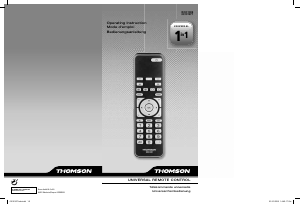
ROC1309
00131871
Operating Instructions .......................................................... 01
Mode d‘emploi ....................................................................... 03
Bedienungsanleitung ............................................................. 05
Istruzioni per l‘uso ................................................................. 07
Instrucciones de uso ............................................................. 09
Gebruiksaanwijzing ............................................................... 11
Manual de instruções ............................................................ 13
Οδηγίες χρήσης..................................................................... 15
Руководство по эксплуатации ......................................... 17
Instrukcja obsługi ................................................................... 19
Návod k použití ...................................................................... 21
Használati útmutató .............................................................. 23
Bruksanvisning ....................................................................... 25
Brukerveiledning .................................................................... 27
Brugsanvisning ....................................................................... 29
Pistokelaturi ............................................................................ 31
1
GB
1
3
4
6
9
8
8
16
12
14
2
11
15
13
5
7
7
10
Characteristics - Caractéristiques - Eigenschaften - Caratteristiche
Características - Eigenschappen - Características - χαρακτηριστικά
Технические характеристики - Dane techniczne - Technické údaje
Karakterisztika - Data - Karakteristikker - Data - Ominaisuudet
Dimensions - Dimensions - Abmessungen - Dimensioni - Dimensiones
- Afmetingen - Dimensões -
Διαστάσεις - размеры -
Wymiary - Rozměry
- Méret
- Mått - Dimensjoner - Mål - Mitat
= 171 x 49 x 20 mm
Weight = 80 grammes
Poids = 80 grammes
Gewicht = 80 Gramm
Peso = 80 grammi
Peso = 80 gramos
Gewicht = 80 gram
Peso = 80 gramas
Βάρoς = 80 γραμμάρια
вес = 80 грамм
Ciężar = 80 g
Hmotnost = 80 g
Súly = 80 gramm
Vikt = 80 gram
Vekt = 80 gram
Vægt = 80 gram
Paino = 80 grammaa
AAA
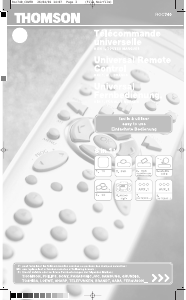
This remote control was programmed in the factory, so that you can use it to control most
of the sets of the THOMSON group’s make. For this reason, we recommend that prior to
attempting to programme the remote control, you try it out by means of one of the methods
described in this user manual. However, fi rst of all, you must install 2 batteries (AAA) in the
remote control.
Please keep this guide along with the code list (provided separately), so that you can
subsequently programme your remote control for use with other sets.
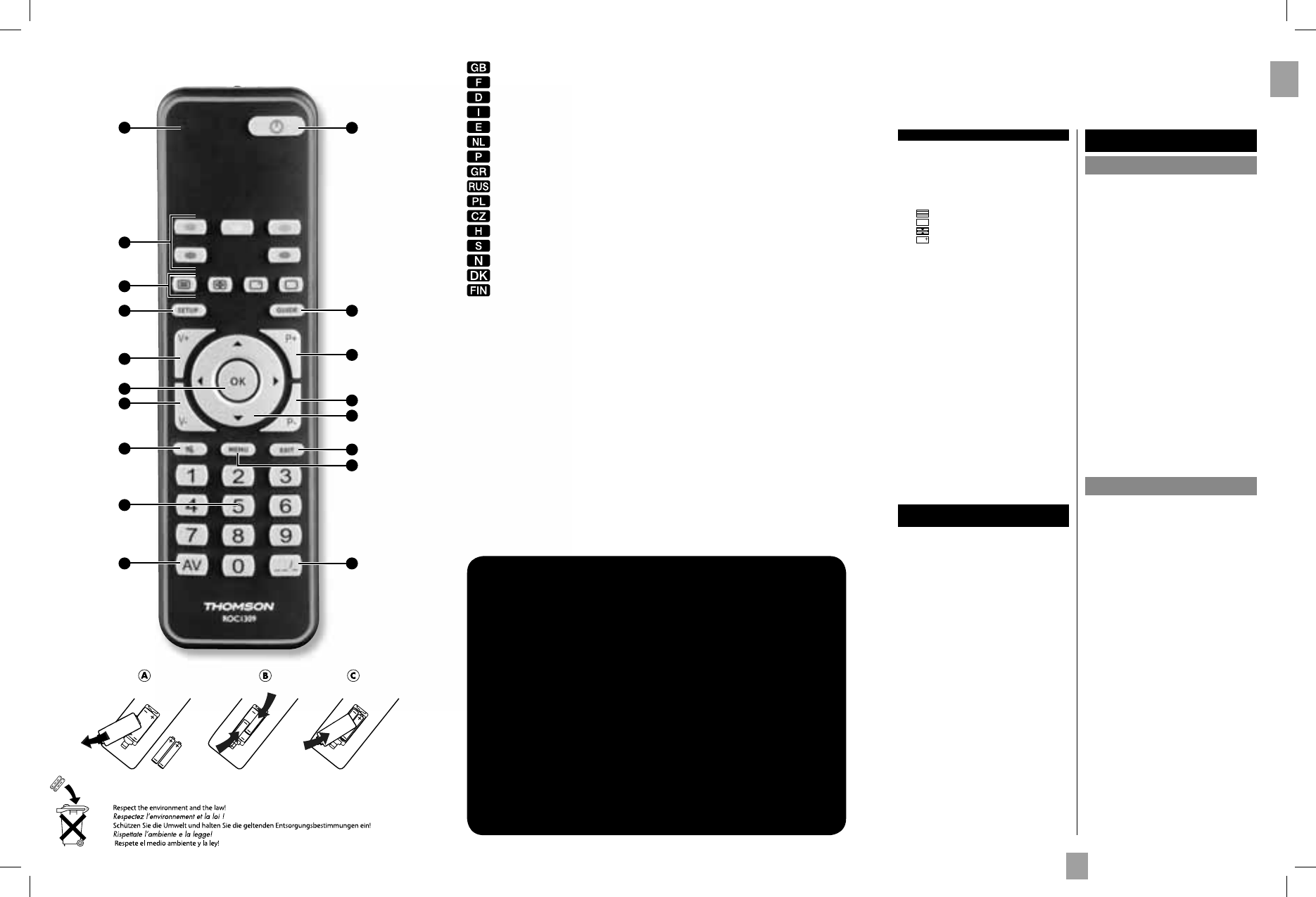
1 Indicator light: The red indicator light is lit
whenever a key is pressed.
2 G : On/Standby or Standby only, depending on
the equipment being used.
3 The coloured buttons can be used to select
categories when teletext is activated, and specifi c
functions depending on the make.
4
: Teletext On.
: Teletext Off.
: Teletext Hold (stop page scrolling).
: Displays information of the selected
appliance.
5 Guide: Electronic Program Guide.
6 Setup: Allows you to program your remote
before the fi rst use.
7 P+/P-: Channel Up and Channel Down buttons.
8 V+/V-: Increases (+) or decreases (-) the volume
of the selected device.
9 OK: Confi rms a selection.
10 C/D/A/B: Allow you to navigate the menus
verticaly and horizontaly.
11 Exit: Turn off the menu of the selected product.
12 H (Mute): Switches the selected appliance sound
off.
13. Menu: Turns on the menu of the selected product.
14 Numeric keys 0-9: These keys have the same
functions as those of your original remote and
are also used to enter the code.
15 :--/-: In connection with the numeric keys, this
button allows you, with some equipment, to select
directly channels with 2 digits.
16 AV: For selecting an external source (SCART,
HDMI, ...)..
Note: depending on the actual devices, manufacturers
and year of manufacture, the functions available
will vary.
The keys
Testing the remote control before
you programme it
1. Switch on the set you want to control.
2. Direct the remote control towards the TV set and
try to switch it off by simply pressing the key G. If
the device does not turn off, you must program the
remote control using one of the methods A, B, C or
D described hereafter.
Programming
the remote control
Method A – Fast programming
with 1-digit subcode
Before you start programming, you must fi nd the
subcode of the set to be controlled. Entering a subcode
lets the remote control test a predefi ned list of codes.
Refer to the list provided with these instructions, page I
of the subcodes.
1. Switch on the set you want to control.
2. Hold down the SETUP key until the red indicator
light blinks and then remains lit (the indicator light
remains on for a few seconds to give you the time to
proceed with the following steps. The indicator lamp
ashes to signal that this time is almost up, and then
goes off). Release the SETUP key.
3. While the indicator is lit, type in the subcode
(example: 1 for THOMSON).
4. Direct the remote control towards the set and try to
switch it off by pressing the key G.
5. If the set you want to control switches off, press OK
to memorise the code.
6. Should the set not switch off, press key G repeatedly,
until the set switches off. Between pressing the keys,
be sure to leave enough time for the indicator light to
go out and then relight (about 1 second). Proceeding
this way will enable you to see whether the set
responds or not.
7. Immediately upon the switching-off of the set to be
controlled, press OK to store the code.
Check of the programming:
In principle, your set is ready for receiving the remote
control commands.
Check your remote control for proper functioning by
performing the test described on page 2.
Method B – 4-digit codes
programming
Before you start programming, you must fi nd the code
of the set to be controlled.
Refer to the list provided with these instructions, page
II of the codes.
1. Switch on the set you want to control.
2. Hold down the SETUP key until the red indicator
light blinks and then remains lit (the indicator light
remains on for a few seconds to give you the time to
proceed with the following steps. The indicator lamp
ashes to signal that this time is almost up, and then
goes off). Release the SETUP key.
3. While the indicator is lit, enter the fi rst digit of the
4-digit code proposed for the set to be controlled
(example: 0036 for Thomson).
4. Direct the remote control towards the set and try to
switch it off by pressing the key G.
5. Should the set not switch off, repeat step 2. Then
type in the next 4-digit code. Try to switch off the set
by pressing key G once. Repeat this procedure by
trying out each of the 4-digit codes.
Check of the programming:
In principle, your set is ready for receiving the remote
control commands.
Check your remote control for proper functioning by
performing the test described on page 2.
00131871bda.indd 4-Abs1:100131871bda.indd 4-Abs1:1 05.10.2009 14:45:22 Uhr05.10.2009 14:45:22 Uhr
Scarica il manuale in italiano (PDF, 0.36 MB)
(Rispetta l’ambiente e stampa questo manuale solo se è veramente necessario)

Loading…

Valutazione

Facci sapere che cosa pensi della Thomson ROC1309 Telecomando valutando il prodotto. Vuoi condividere la tua esperienze con questo prodotto o porre una domanda? Ti preghiamo di lasciare un commento al fondo della pagina.
Sei soddisfatto di Thomson ROC1309 Telecomando?
No
0%
100%
1 vota

Partecipa alla conversazione su questo prodotto

Qui puoi condividere cosa pensi di Thomson ROC1309 Telecomando. Se hai una domanda, leggi prima attentamente il manuale. La richiesta di un manuale può essere effettuata utilizzando il nostro modulo di contatto.

Kristine Velsvik 09-05-2022
Ciao. Quali pulsanti premo quando non ricevo la scrittura norvegese

rispondi | È stato utile (0) (Tradotto da Google)

Maggiori informazioni su questo manuale

Comprendiamo che sia bello avere un manuale cartaceo per i tuoi Thomson ROC1309 Telecomando. Puoi sempre scaricare il manuale dal nostro sito web e stamparlo tu stesso. Se desideri avere un manuale originale, ti consigliamo di contattare Thomson. Potrebbero essere in grado di fornire un manuale originale. Stai cercando il manuale del tuo Thomson ROC1309 Telecomando in un'altra lingua? Scegli la tua lingua preferita sulla nostra home page e cerca il numero del modello per vedere se è disponibile.

Specifiche

Marca Thomson
Modello ROC1309
Categoria Telecomandi
Tipo di file PDF
Dimensione del file 0.36 MB

Tutti i manuali per Thomson Telecomandi
Altri manuali di Telecomandi

Domande frequenti su Thomson ROC1309 Telecomando

Il nostro team di supporto cerca informazioni utili sul prodotto e risposte alle domande più frequenti. Se trovi un’inesattezza nelle nostre domande frequenti, ti preghiamo di farcelo sapere utilizzando il nostro modulo di contatto.

Come si collega un telecomando universale alla televisione? Verificato

Per collegare un telecomando universale, è necessario disporre del numero di modello e marchio sia del telecomando che della televisione. Nel manuale del telecomando è presente un elenco dei marchi e dei numeri di modello.

È stato utile (7995) Per saperne di più

Perché ci sono lettere accanto ai numeri sul telecomando? Verificato

Alcune impostazioni del televisore potrebbero richiedere l'immissione di lettere. Di solito ci sono tre lettere o altri caratteri su un pulsante. Quando è richiesto l'inserimento di lettere, è possibile premere quel pulsante una volta per la prima lettera, premere due volte per la seconda lettera e premere 3 volte per la terza lettera. In questo modo, il testo può essere scritto con un numero minimo di pulsanti.

È stato utile (683) Per saperne di più

Il mio telecomando funzionerà anche su altri modelli di televisori della stessa marca? Verificato

Spesso il telecomando di un televisore funziona anche su modelli simili della stessa marca. Tuttavia, è insolito che funzioni su tutti i modelli di quel marchio. I telecomandi universali sono più adatti a farlo.

È stato utile (524) Per saperne di più

Qual è la portata media di un telecomando a infrarossi? Verificato

Un telecomando a infrarossi normale ha una portata di 3-6 metri. Inoltre, più lontano è il dispositivo più sarà difficile puntarlo.

È stato utile (412) Per saperne di più

Una pila del dispositivo si è ossidata, posso utilizzarlo ancora? Verificato

Sì, il dispositivo si può utilizzare ancora. Prima di tutto, rimuovere la pila ossidata. Non farlo mai a mani nude. Pulire quindi il vano della batteria con un cotton fioc bagnato di aceto o succo di limone. Lasciar asciugare e inserire le nuove pile.

È stato utile (372) Per saperne di più

Posso lasciare una batteria sostituibile in un dispositivo per molto tempo? Verificato

Le batterie sostituibili possono restare in un dispositivo a lungo se il dispositivo è in uso. Quando si ripone un dispositivo per molto tempo, si consiglia di rimuovere le batterie sostituibili per evitare l’ossidazione.

È stato utile (271) Per saperne di più
Manuale Thomson ROC1309 Telecomando

Prodotti correlati

Categorie correlate

×
Download