
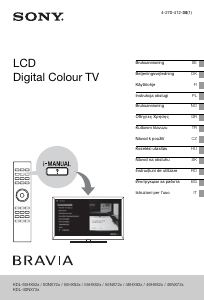
Manuale Sony Bravia KD-49XE8088 LCD televisore
Hai bisogno di un manuale per il tuo Sony Bravia KD-49XE8088 LCD televisore? Di seguito è possibile visualizzare e scaricare gratuitamente il manuale in PDF in italiano. Questo prodotto attualmente ha 13 domande frequenti, 0 commenti e ha 0 voti. Se questo non è il manuale che desideri, contattaci.
Il tuo prodotto è difettoso e il manuale non fornisce alcuna soluzione? Rivolgiti a un Repair Café per il servizio di riparazione gratuita.
Manuale
Loading…

Loading…
Valutazione
Facci sapere che cosa pensi della Sony Bravia KD-49XE8088 LCD televisore valutando il prodotto. Vuoi condividere la tua esperienze con questo prodotto o porre una domanda? Ti preghiamo di lasciare un commento al fondo della pagina.Maggiori informazioni su questo manuale
Comprendiamo che sia bello avere un manuale cartaceo per i tuoi Sony Bravia KD-49XE8088 LCD televisore. Puoi sempre scaricare il manuale dal nostro sito web e stamparlo tu stesso. Se desideri avere un manuale originale, ti consigliamo di contattare Sony. Potrebbero essere in grado di fornire un manuale originale. Stai cercando il manuale del tuo Sony Bravia KD-49XE8088 LCD televisore in un'altra lingua? Scegli la tua lingua preferita sulla nostra home page e cerca il numero del modello per vedere se è disponibile.
Specifiche
| Marca | Sony |
| Modello | Bravia KD-49XE8088 |
| Categoria | LCD televisori |
| Tipo di file | |
| Dimensione del file | 35.23 MB |
Tutti i manuali per Sony LCD televisori
Altri manuali di LCD televisori
Domande frequenti su Sony Bravia KD-49XE8088 LCD televisore
Il nostro team di supporto cerca informazioni utili sul prodotto e risposte alle domande più frequenti. Se trovi un’inesattezza nelle nostre domande frequenti, ti preghiamo di farcelo sapere utilizzando il nostro modulo di contatto.
Come si collega un telecomando universale alla televisione? Verificato
Per collegare un telecomando universale, è necessario disporre del numero di modello e marchio sia del telecomando che della televisione. Nel manuale del telecomando è presente un elenco dei marchi e dei numeri di modello.
È stato utile (2260) Per saperne di piùQuale porta devo utilizzare se voglio collegare una cassa al televisore LCD tramite HDMI? Verificato
Utilizzare la porta HDMI-ARC, appositamente pensata per collegare i dispositivi audio.
È stato utile (1583) Per saperne di piùCosa cambia a quale porta HDMI collego il dispositivo? Verificato
In generale si possono collegare dispositivi come blu-ray o console a qualsiasi porta HDMI. Selezionare quindi il canale HDMI corrispondente sulla televisione per utilizzare il dispositivo.
È stato utile (798) Per saperne di piùCome misuro i pollici del mio televisore LCD? Verificato
Per misurare i pollici del televisore LCD occorre misurare la diagonale ad es. tra l’angolo superiore sinistro e quello inferiore destro dello schermo (non il bordo). Un pollice equivale a 2,54 cm, quindi se la misura corrisponde a 99 cm, il televisore LCD è di 39 pollici.
È stato utile (543) Per saperne di piùIl mio telecomando funzionerà anche su altri modelli di televisori della stessa marca? Verificato
Spesso il telecomando di un televisore funziona anche su modelli simili della stessa marca. Tuttavia, è insolito che funzioni su tutti i modelli di quel marchio. I telecomandi universali sono più adatti a farlo.
È stato utile (340) Per saperne di piùQual è la differenza tra LCD e LED? Verificato
Entrambe le tecniche utilizzano uno schermo LCD che non emette luce da solo. La differenza sta nell’illuminazione dietro lo schermo. Negli schermi LCD l’illuminazione avviene grazie al CCFL (lampada a fluorescenza a catodo freddo), mentre i LED utilizzano lampade LED.
È stato utile (304) Per saperne di piùSi possono riparare da soli i pixel bruciati? Verificato
I pixel bruciati sono diversi dai pixel bloccati. Un pixel bloccato è ancora colorato e può essere sistemato applicando una leggera pressione esattamente sul pixel fino a quando non si ripristina. Un pixel bruciato è sempre bianco o nero e non può essere riparato autonomamente.
È stato utile (300) Per saperne di piùCosa significa HDMI? Verificato
HDMI è l'acronimo di High-Definition Multimedia Interface. HDMI è una connessione per inviare video e audio di alta qualità da un dispositivo a un altro.
È stato utile (276) Per saperne di piùPerché ci sono lettere accanto ai numeri sul telecomando? Verificato
Alcune impostazioni del televisore potrebbero richiedere l'immissione di lettere. Di solito ci sono tre lettere o altri caratteri su un pulsante. Quando è richiesto l'inserimento di lettere, è possibile premere quel pulsante una volta per la prima lettera, premere due volte per la seconda lettera e premere 3 volte per la terza lettera. In questo modo, il testo può essere scritto con un numero minimo di pulsanti.
È stato utile (247) Per saperne di piùCos’è il rapporto di contrasto? Verificato
Il rapporto di contrasto indica la distanza tra il bianco più bianco e il nero più nero. Ad esempio un rapporto di contrasto di 400:1 indica che il nero più nero sullo schermo è 400 volte più scuro del bianco più bianco. Un alto rapporto di contrasto aumenta la nitidezza dell’immagine.
È stato utile (212) Per saperne di piùQual è il modo migliore per pulire un televisore LCD? Verificato
Spegnere il televisore ed eliminare lo sporco e la polvere dallo schermo con un panno in microfibra. Non utilizzare della carta che potrebbe rigare lo schermo. Non applicare troppa pressione che potrebbe danneggiare i pixel. Utilizzare un detergente apposito o pulire con una soluzione composta da una parte di aceto e una parte di acqua. Bagnare il panno con la soluzione detergente e pulire lo schermo. Assicurarsi che il panno non sia troppo bagnato. Rimuovere le macchie effettuando dei movimenti circolari. Asciugare lo schermo con un altro panno in microfibra per evitare aloni.
È stato utile (209) Per saperne di piùQual è la distanza ottimale per guardare la televisione? Verificato
In parte dipende dalle preferenze personali, ma in generale la distanza ottimale di visione è circa 3 volte la dimensione diagonale del televisore. Per un televisore da 60 pollici (152 cm) la distanza di visione ottimale sarebbe di 180 pollici, ovvero 4,5 metri.
È stato utile (206) Per saperne di piùCosa significa LCD? Verificato
LCD sta per Liquid Crystal Display e indica una tecnologia che consente ai cristalli liquidi di polarizzare la luce per generare i colori.
È stato utile (205) Per saperne di più

Partecipa alla conversazione su questo prodotto
Qui puoi condividere cosa pensi di Sony Bravia KD-49XE8088 LCD televisore. Se hai una domanda, leggi prima attentamente il manuale. La richiesta di un manuale può essere effettuata utilizzando il nostro modulo di contatto.