
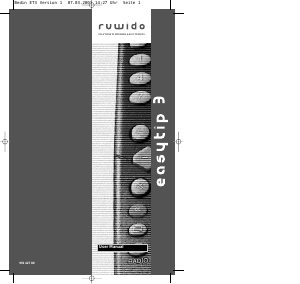
Manuale Ruwido Easytip S3 Telecomando
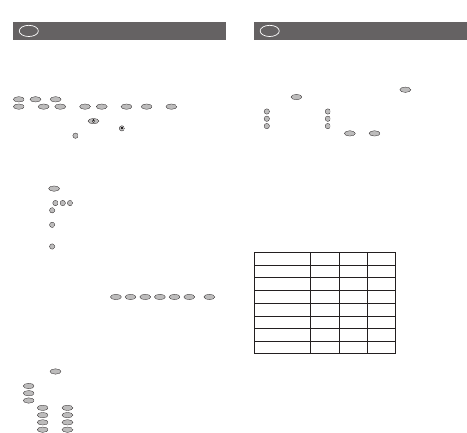
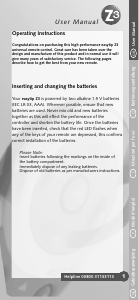
Hai bisogno di un manuale per il tuo Ruwido Easytip S3 Telecomando? Di seguito è possibile visualizzare e scaricare gratuitamente il manuale in PDF in italiano. Questo prodotto attualmente ha 6 domande frequenti, 1 commento e ha 0 voti. Se questo non è il manuale che desideri, contattaci.
Il tuo prodotto è difettoso e il manuale non fornisce alcuna soluzione? Rivolgiti a un Repair Café per il servizio di riparazione gratuita.
Manuale
Loading…

Loading…
Valutazione
Facci sapere che cosa pensi della Ruwido Easytip S3 Telecomando valutando il prodotto. Vuoi condividere la tua esperienze con questo prodotto o porre una domanda? Ti preghiamo di lasciare un commento al fondo della pagina.Maggiori informazioni su questo manuale
Comprendiamo che sia bello avere un manuale cartaceo per i tuoi Ruwido Easytip S3 Telecomando. Puoi sempre scaricare il manuale dal nostro sito web e stamparlo tu stesso. Se desideri avere un manuale originale, ti consigliamo di contattare Ruwido. Potrebbero essere in grado di fornire un manuale originale. Stai cercando il manuale del tuo Ruwido Easytip S3 Telecomando in un'altra lingua? Scegli la tua lingua preferita sulla nostra home page e cerca il numero del modello per vedere se è disponibile.
Specifiche
| Marca | Ruwido |
| Modello | Easytip S3 |
| Categoria | Telecomandi |
| Tipo di file | |
| Dimensione del file | 0.58 MB |
Tutti i manuali per Ruwido Telecomandi
Altri manuali di Telecomandi
Domande frequenti su Ruwido Easytip S3 Telecomando
Il nostro team di supporto cerca informazioni utili sul prodotto e risposte alle domande più frequenti. Se trovi un’inesattezza nelle nostre domande frequenti, ti preghiamo di farcelo sapere utilizzando il nostro modulo di contatto.
Come si collega un telecomando universale alla televisione? Verificato
Per collegare un telecomando universale, è necessario disporre del numero di modello e marchio sia del telecomando che della televisione. Nel manuale del telecomando è presente un elenco dei marchi e dei numeri di modello.
È stato utile (7982) Per saperne di piùPerché ci sono lettere accanto ai numeri sul telecomando? Verificato
Alcune impostazioni del televisore potrebbero richiedere l'immissione di lettere. Di solito ci sono tre lettere o altri caratteri su un pulsante. Quando è richiesto l'inserimento di lettere, è possibile premere quel pulsante una volta per la prima lettera, premere due volte per la seconda lettera e premere 3 volte per la terza lettera. In questo modo, il testo può essere scritto con un numero minimo di pulsanti.
È stato utile (681) Per saperne di piùIl mio telecomando funzionerà anche su altri modelli di televisori della stessa marca? Verificato
Spesso il telecomando di un televisore funziona anche su modelli simili della stessa marca. Tuttavia, è insolito che funzioni su tutti i modelli di quel marchio. I telecomandi universali sono più adatti a farlo.
È stato utile (524) Per saperne di piùQual è la portata media di un telecomando a infrarossi? Verificato
Un telecomando a infrarossi normale ha una portata di 3-6 metri. Inoltre, più lontano è il dispositivo più sarà difficile puntarlo.
È stato utile (412) Per saperne di piùUna pila del dispositivo si è ossidata, posso utilizzarlo ancora? Verificato
Sì, il dispositivo si può utilizzare ancora. Prima di tutto, rimuovere la pila ossidata. Non farlo mai a mani nude. Pulire quindi il vano della batteria con un cotton fioc bagnato di aceto o succo di limone. Lasciar asciugare e inserire le nuove pile.
È stato utile (370) Per saperne di piùPosso lasciare una batteria sostituibile in un dispositivo per molto tempo? Verificato
Le batterie sostituibili possono restare in un dispositivo a lungo se il dispositivo è in uso. Quando si ripone un dispositivo per molto tempo, si consiglia di rimuovere le batterie sostituibili per evitare l’ossidazione.
È stato utile (271) Per saperne di più
Partecipa alla conversazione su questo prodotto
Qui puoi condividere cosa pensi di Ruwido Easytip S3 Telecomando. Se hai una domanda, leggi prima attentamente il manuale. La richiesta di un manuale può essere effettuata utilizzando il nostro modulo di contatto.
rispondi | È stato utile (0) (Tradotto da Google)