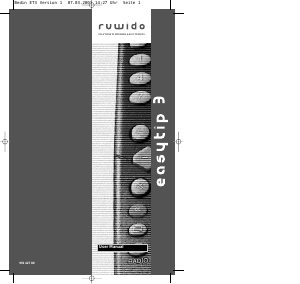
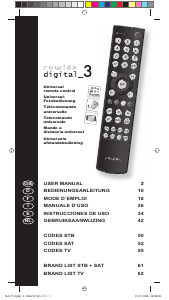
Manuale Ruwido Alveus Linum 8 Telecomando

Hai bisogno di un manuale per il tuo Ruwido Alveus Linum 8 Telecomando? Di seguito è possibile visualizzare e scaricare gratuitamente il manuale in PDF in italiano. Questo prodotto attualmente ha 6 domande frequenti, 0 commenti e ha 0 voti. Se questo non è il manuale che desideri, contattaci.

Il tuo prodotto è difettoso e il manuale non fornisce alcuna soluzione? Rivolgiti a un Repair Café per il servizio di riparazione gratuita.

Manuale

Loading…
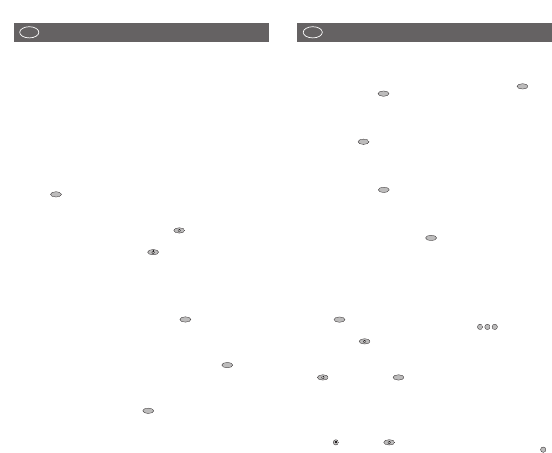
Easy programming for the control of your CD PLAYER (not for 5 in
1 model)
To programme the remote control to operate your CD PLAYER, proceed as described for the
television set. Complete steps 1 to 10 except you must first press and release the key
followed by holding down the key. Please ensure that you refer to the codes listed under
the CD section and not the TV section.
Easy programming for the control of your TUNER (RADIO) (not for
5 in 1 model)
To programme the remote control to operate your TUNER, proceed as described for the CD
PLAYER but using the key instead of the CD key. Please ensure that you refer to the
codes listed under the TUNER section and not the CD PLAYER section.
Easy programming for the control of your TAPE RECORDER (TAPE
DESK) (not for 5 in 1 model)
To programme the remote control to operate your TAPE RECORDER, proceed as described for
the CD PLAYER but using the key instead of the CD key. Please ensure that you refer to
the codes listed under the TAPE section and not the CD PLAYER section.
Easy programming for the control of your AMPLIFIER (not for 5 in
1 model)
To programme the remote control to operate your AMPLIFIER, proceed as described for the
CD PLAYER. Complete steps 1 to 10, using the key on your remote control. Please ensure
that you refer to the codes listed under the AMPLIFIER section and not CD PLAYER section.
Code scan
If programming using the codes in the enclosed list failed to work then you must next try the
automatic code scan.
A. Ensure that the remote control is equipped with 2 new batteries (see step one of easy
programming procedure).
B. Switch on your TV SET. When using the automatic scan function for the VCR, DVD, CD or
TAPE, switch on your device, insert a video tape, DVD, CD or tape cassette and put the unit
into ‘Play mode’ i.e, the VCR tape etc is running.
C. Press the key of your remote control for approx. 4 seconds until the LED flashes twice.
D. After seeing the 2 flashes and within 5 seconds, enter the code . After entering the
code the LED will flash twice indicating that the code has been accepted
E. Press and hold the key until your TV switches off. Please note that this process might
take up to 15 minutes. During the automatic scanning you can remove your finger or
change hands provided it is replaced within 8 seconds. If left off of the key for more than 8
seconds then the remote will revert back to its normal mode. If your TV switches into
Stand-By mode during the automatic process then immediately remove your finger from
the key and then press the key until the LED flashes twice, this will then store the
code that the remote control has found.
F. In some cases during the automatic scanning search the remote control might find several
codes that appear to operate your TV etc, however, if some of the buttons fail to work
properly then it’s possible the remote has found a partially compatible code. In such cases
you will need to restart the automatic scanning process (steps B. to F.) until a better code is
found. Please note that once the automatic process is restarted, the remote continues from
the last stored code and not at the beginning of code database.
• To complete a code scan for the VCR, DVD, CD or TAPE, follow the procedure above but
use the key and not the key
• To complete a code scan for the TUNER, follow the procedure above but use the key
2
TV
1
0
0
TV
AMP
TAPE
CD
SHIFT
3
UNIVERSAL REMOTE CONTROL
Thank you for purchasing this universal remote control. Before using the remote you will need
to insert two type "CR2025" batteries (for all Linum models) or two AAA "LR03" batteries (for
AlveusLux 10 and 5 in 1 models) in the battery compartment ensuring that you follow the
polarity shown on the inside. You can now use your remote control to operate up to 10 different
devices including a TV, video recorder, DVD player, satellite or cable receiver, CD player, tuner
(radio), tape recorder and amplifier. If your remote control is equipped with an AUX key then
you can also use it to control a second TV set, video recorded, satellite receiver and/or cable
box, CD player, tuner, tape recorder or amplifier!
Easy programming for the control of your TV SET
1. Insert 2 new batteries of type "CR2025" or "AAA/LR03" (depending on your model).
Observe battery polarity as indicated in the battery compartment.
2. Switch on your TV SET.
3. In the enclosed code list, find your TV brand or manufacturer (e.g. Sony).
4. Beside the manufacturer's name, you will find one or more 3-digit codes. These codes
must be entered into the remote to enable it to work with your particular TV set.
5. Press the key on the remote control for approximately 4 seconds until the LED flashes
twice.
6. After seeing the 2 flashes and within 5 seconds, enter the 3-digit numerical code from the
list.
7. After entering the code the LED will flash twice indicating that the code has been accepted.
8. Point the remote control towards your TV and press the key. If your TV does not
respond by going into Stand-By mode then repeat steps 3 to 8 and enter the next code in
the list.
9. If your TV goes into Stand-By mode when the key pressed then your remote control
has found a compatible code. Next test all of the other function buttons. If certain functions
are not working correctly then restart the process moving onto the next code number as
this may well improve the situation.
10. If the codes in the list fail to operate your TV then next move onto the automatic code scan
function (see below).
Easy programming for the control of your VIDEO RECORDER
To programme the remote control to operate your VIDEO RECORDER, proceed as described
above for the television set. Complete steps 1 to 10 using the key on your remote control.
Please ensure that you refer to the codes listed under the VIDEO RECORDER section and not
the TV section.
Easy programming for the control of your SATELLITE RECEIVER
To programme the remote control to operate your SATELLITE RECEIVER or CABLE BOX,
proceed as described for the television set. Complete steps 1 to 10 using the key on your
remote control. Please ensure that you refer to the codes listed under the SATELLITE section
and not the TV section.
Easy programming for the control of your DVD PLAYER
To programme the remote control to operate your DVD PLAYER, proceed as described for the
television set. Complete steps 1 to 10 using the key on your remote control. Please ensure
that you refer to the codes listed under the DVD section and not the TV section.
DVD
SAT
VCR
TV
2
USER MANUAL
GB
USER MANUAL
GB
Scarica il manuale in italiano (PDF, 0.64 MB)
(Rispetta l’ambiente e stampa questo manuale solo se è veramente necessario)

Loading…

Valutazione

Facci sapere che cosa pensi della Ruwido Alveus Linum 8 Telecomando valutando il prodotto. Vuoi condividere la tua esperienze con questo prodotto o porre una domanda? Ti preghiamo di lasciare un commento al fondo della pagina.
Sei soddisfatto di Ruwido Alveus Linum 8 Telecomando?
No
Valuta per primo questo prodotto
0 voti

Partecipa alla conversazione su questo prodotto

Qui puoi condividere cosa pensi di Ruwido Alveus Linum 8 Telecomando. Se hai una domanda, leggi prima attentamente il manuale. La richiesta di un manuale può essere effettuata utilizzando il nostro modulo di contatto.

Maggiori informazioni su questo manuale

Comprendiamo che sia bello avere un manuale cartaceo per i tuoi Ruwido Alveus Linum 8 Telecomando. Puoi sempre scaricare il manuale dal nostro sito web e stamparlo tu stesso. Se desideri avere un manuale originale, ti consigliamo di contattare Ruwido. Potrebbero essere in grado di fornire un manuale originale. Stai cercando il manuale del tuo Ruwido Alveus Linum 8 Telecomando in un'altra lingua? Scegli la tua lingua preferita sulla nostra home page e cerca il numero del modello per vedere se è disponibile.

Specifiche

Marca Ruwido
Modello Alveus Linum 8
Categoria Telecomandi
Tipo di file PDF
Dimensione del file 0.64 MB

Tutti i manuali per Ruwido Telecomandi
Altri manuali di Telecomandi

Domande frequenti su Ruwido Alveus Linum 8 Telecomando

Il nostro team di supporto cerca informazioni utili sul prodotto e risposte alle domande più frequenti. Se trovi un’inesattezza nelle nostre domande frequenti, ti preghiamo di farcelo sapere utilizzando il nostro modulo di contatto.

Come si collega un telecomando universale alla televisione? Verificato

Per collegare un telecomando universale, è necessario disporre del numero di modello e marchio sia del telecomando che della televisione. Nel manuale del telecomando è presente un elenco dei marchi e dei numeri di modello.

È stato utile (7983) Per saperne di più

Perché ci sono lettere accanto ai numeri sul telecomando? Verificato

Alcune impostazioni del televisore potrebbero richiedere l'immissione di lettere. Di solito ci sono tre lettere o altri caratteri su un pulsante. Quando è richiesto l'inserimento di lettere, è possibile premere quel pulsante una volta per la prima lettera, premere due volte per la seconda lettera e premere 3 volte per la terza lettera. In questo modo, il testo può essere scritto con un numero minimo di pulsanti.

È stato utile (681) Per saperne di più

Il mio telecomando funzionerà anche su altri modelli di televisori della stessa marca? Verificato

Spesso il telecomando di un televisore funziona anche su modelli simili della stessa marca. Tuttavia, è insolito che funzioni su tutti i modelli di quel marchio. I telecomandi universali sono più adatti a farlo.

È stato utile (524) Per saperne di più

Qual è la portata media di un telecomando a infrarossi? Verificato

Un telecomando a infrarossi normale ha una portata di 3-6 metri. Inoltre, più lontano è il dispositivo più sarà difficile puntarlo.

È stato utile (412) Per saperne di più

Una pila del dispositivo si è ossidata, posso utilizzarlo ancora? Verificato

Sì, il dispositivo si può utilizzare ancora. Prima di tutto, rimuovere la pila ossidata. Non farlo mai a mani nude. Pulire quindi il vano della batteria con un cotton fioc bagnato di aceto o succo di limone. Lasciar asciugare e inserire le nuove pile.

È stato utile (370) Per saperne di più

Posso lasciare una batteria sostituibile in un dispositivo per molto tempo? Verificato

Le batterie sostituibili possono restare in un dispositivo a lungo se il dispositivo è in uso. Quando si ripone un dispositivo per molto tempo, si consiglia di rimuovere le batterie sostituibili per evitare l’ossidazione.

È stato utile (271) Per saperne di più
Manuale Ruwido Alveus Linum 8 Telecomando

Prodotti correlati

Categorie correlate

×
Download