
Manuale Pioneer MVH-290DAB Autoradio
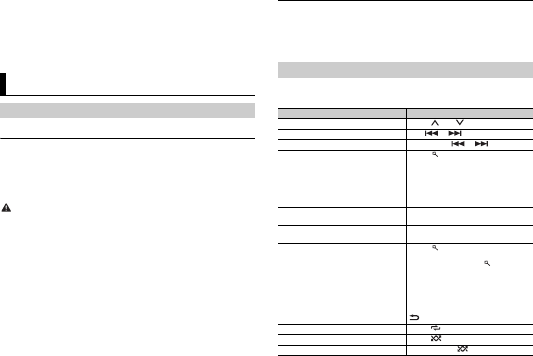
Hai bisogno di un manuale per il tuo Pioneer MVH-290DAB Autoradio? Di seguito è possibile visualizzare e scaricare gratuitamente il manuale in PDF in italiano. Questo prodotto attualmente ha 4 domande frequenti, 0 commenti e ha 0 voti. Se questo non è il manuale che desideri, contattaci.
Il tuo prodotto è difettoso e il manuale non fornisce alcuna soluzione? Rivolgiti a un Repair Café per il servizio di riparazione gratuita.
Manuale
Loading…

Loading…
Valutazione
Facci sapere che cosa pensi della Pioneer MVH-290DAB Autoradio valutando il prodotto. Vuoi condividere la tua esperienze con questo prodotto o porre una domanda? Ti preghiamo di lasciare un commento al fondo della pagina.Maggiori informazioni su questo manuale
Comprendiamo che sia bello avere un manuale cartaceo per i tuoi Pioneer MVH-290DAB Autoradio. Puoi sempre scaricare il manuale dal nostro sito web e stamparlo tu stesso. Se desideri avere un manuale originale, ti consigliamo di contattare Pioneer. Potrebbero essere in grado di fornire un manuale originale. Stai cercando il manuale del tuo Pioneer MVH-290DAB Autoradio in un'altra lingua? Scegli la tua lingua preferita sulla nostra home page e cerca il numero del modello per vedere se è disponibile.
Specifiche
| Marca | Pioneer |
| Modello | MVH-290DAB |
| Categoria | Autoradio |
| Tipo di file | |
| Dimensione del file | 9.78 MB |
Tutti i manuali per Pioneer Autoradio
Altri manuali di Autoradio
Domande frequenti su Pioneer MVH-290DAB Autoradio
Il nostro team di supporto cerca informazioni utili sul prodotto e risposte alle domande più frequenti. Se trovi un’inesattezza nelle nostre domande frequenti, ti preghiamo di farcelo sapere utilizzando il nostro modulo di contatto.
Che cos’è DAB+? Verificato
DAB+ è il successore del segnale FM e sta per Digital Audio Broadcasting. Si tratta di un segnale digitale che permette di ascoltare più canali nella stessa larghezza di banda e di passare più facilmente da un canale all’altro.
È stato utile (639) Per saperne di piùQual è la differenza tra FM e AM? Verificato
FM e AM sono due forme di modulazione utilizzate per trasmettere un segnale. FM sta per modulazione di frequenza e AM sta per modulazione di ampiezza. AM è la vecchia forma di modulazione. La differenza principale è che il segnale FM è molto più forte del segnale AM.
È stato utile (410) Per saperne di piùUn CD si è inceppato nell’autoradio, cosa devo fare? Verificato
Alcune autoradio hanno una funzione per espellere i CD inceppati. Spegnere l’auto e premere il pulsante “on” e “eject” simultaneamente per 10 secondi. Se non funziona, riavviare l’auto e riprovare.
È stato utile (391) Per saperne di piùQuale misura di autoradio è adatta alla mia automobile? Verificato
Esistono due misure di autoradio standard, 1-DIN e 2-DIN. 1-DIN è la versione standard sottile e la 2-DIN è la versione alta il doppio. Le autoradio 2-DIN di solito hanno più spazio per uno schermo che consente di visualizzare i dati di navigazione o riprodurre filmati.
È stato utile (329) Per saperne di più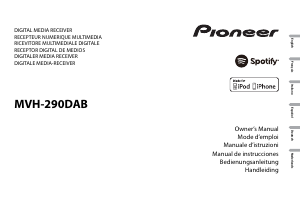
Partecipa alla conversazione su questo prodotto
Qui puoi condividere cosa pensi di Pioneer MVH-290DAB Autoradio. Se hai una domanda, leggi prima attentamente il manuale. La richiesta di un manuale può essere effettuata utilizzando il nostro modulo di contatto.