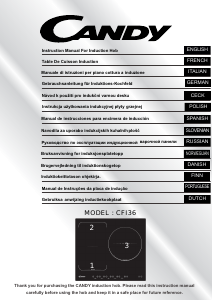
Manuale Candy CFI36 Piano cottura

Hai bisogno di un manuale per il tuo Candy CFI36 Piano cottura? Di seguito è possibile visualizzare e scaricare gratuitamente il manuale in PDF in italiano. Questo prodotto attualmente ha 3 domande frequenti, 0 commenti e ha 0 voti. Se questo non è il manuale che desideri, contattaci.

Il tuo prodotto è difettoso e il manuale non fornisce alcuna soluzione? Rivolgiti a un Repair Café per il servizio di riparazione gratuita.

Manuale

Loading…
E_decfTeZ`_d W`c NdV
ENGLISH
5
U^[d j^[ fem[h _i im_jY^[Z ed1 j^[ Xkpp[h m_bb
Operating instructions
--
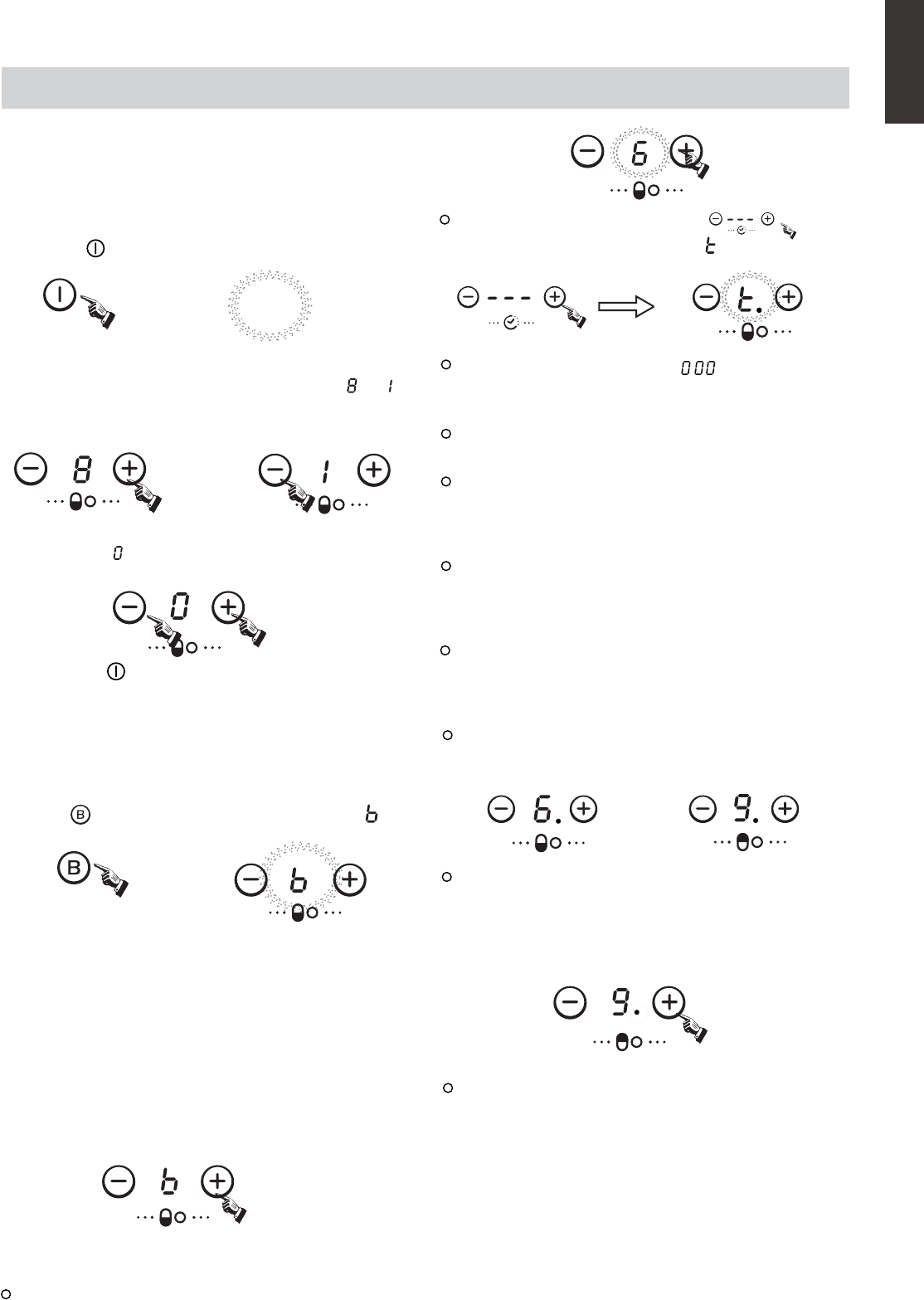
Boost function
Warning:
2. The boost function works on the all cooking zone.
Cancelling the "BOOST" mode
1.Press the " " key, all the indicators show "--".
Press the“ " key, the power level indicator showing " "
iekdZ edY[
WdZ Wbb j^[ _dZ_YWjehi m_bb Yec[ ed
\eh ed[ i[YedZ WdZ j^[d
]e ekj3 R^[ ^eX _i dem
_d ijWdZXo ceZ[3
ObWY[ j^[ fWd _d
j^[
Y[djh[ e\ j^[ Yeea_d] ped[3
Select the power level by pressing the "+" or "-" key for the
relevant hotplate. To begin with the indicator shows" "or " "
by pressing the "+" or "-" key. Adjust up or down by pressing
the "+" or "-" key.
If you press the "+" and "-" keys simultaneously, the power
setting returns to" "and the cooking zone switches off.
NB : When the " " key is pressed, the induction hob returns
to standby mode if no other operation is carried out
within two minutes.
1. The boost function only operates for 5 minutes, after which
the cooking zone will revert to its original setting.
Cancel the "Boost" mode by pressing the "+" or "-" key of the
corresponding zone.
Press the "+" key once increases the time by one minute ;
hold down the "+" key increases the time by 10 minutes ;
Press the "-" key once decreases the time by one minute ;
hold down the "-" key decreases the time by 10 minutes ;
If the timer is set on more than 1 zone:
Note:
1. When the timer is 0 minute, the timer is cancelled.
You can set the power level during the timer mode.
:
then press the " + " or " - " timer key power
To begin with the indicator shows" ",set the time by
pressing the "+" or "-" key. After setting the time, you can
select the power level of the cooking zone.
Then set the time for between 1 minute and 9 hours 59
minutes by pressing the "+" or "-" key.
When the time exceeds 1 hour, hold down the "+" key
increases the time by 30 minutes .
When the time exceeds 2 hours, hold down the "-" key
decreases the time by 30 minutes .
Timer can be set on all 4 cooking zones. When you set the
time for several cooking zones simultaneously, decimal
dots of the relevant cooking zones are on.
on the timer display will be shown the timer than will expire
first. The dot of the corresponding zone will be on but
flashing.Once the countdown timer expires the
corresponding zone will be switch off. Then it will be shown
the new first expiring timer and the corresponding zone will
have the dot flashing.
If the timer is set but not active on any zone, it will work
simply as timer countdown.
2. When time elapses, the relevant cooking zone is switched
off.
3. After setting the timer, the timing indicator has been flashing
for 5 seconds, the set time will be automatically confirmed.
If more than 1 zone is switch on :
Timer function
activate the selected zone by pushing "+" or "-" key of that
zone,the corresponding digits will be flashing.
4. In timer mode, pressing the "+" or "-" key of the timer
simultaneously, timer setting returns to"0", time is cancelled.
3.As the boost function of 1st or 3rd cooking zone is activated,
the PRO zone is limited at level 2 automatically.
Vice versa if the boost function of PRO cooking zone is
activated, both the 1st and 3rd cooking zone are limited at
level 2 automatically.
*Under normal working mode, at any power levels, the
maximum total power of zone #1 and #2 is not higher than
3000W.
level indicator flashing and showing " "
Scarica il manuale in italiano (PDF, 49.09 MB)
(Rispetta l’ambiente e stampa questo manuale solo se è veramente necessario)

Loading…

Valutazione

Facci sapere che cosa pensi della Candy CFI36 Piano cottura valutando il prodotto. Vuoi condividere la tua esperienze con questo prodotto o porre una domanda? Ti preghiamo di lasciare un commento al fondo della pagina.
Sei soddisfatto di Candy CFI36 Piano cottura?
No
Valuta per primo questo prodotto
0 voti

Partecipa alla conversazione su questo prodotto

Qui puoi condividere cosa pensi di Candy CFI36 Piano cottura. Se hai una domanda, leggi prima attentamente il manuale. La richiesta di un manuale può essere effettuata utilizzando il nostro modulo di contatto.

Maggiori informazioni su questo manuale

Comprendiamo che sia bello avere un manuale cartaceo per i tuoi Candy CFI36 Piano cottura. Puoi sempre scaricare il manuale dal nostro sito web e stamparlo tu stesso. Se desideri avere un manuale originale, ti consigliamo di contattare Candy. Potrebbero essere in grado di fornire un manuale originale. Stai cercando il manuale del tuo Candy CFI36 Piano cottura in un'altra lingua? Scegli la tua lingua preferita sulla nostra home page e cerca il numero del modello per vedere se è disponibile.

Specifiche

Marca Candy
Modello CFI36
Categoria Piani cottura
Tipo di file PDF
Dimensione del file 49.09 MB

Tutti i manuali per Candy Piani cottura
Altri manuali di Piani cottura

Domande frequenti su Candy CFI36 Piano cottura

Il nostro team di supporto cerca informazioni utili sul prodotto e risposte alle domande più frequenti. Se trovi un’inesattezza nelle nostre domande frequenti, ti preghiamo di farcelo sapere utilizzando il nostro modulo di contatto.

Quali pentole si possono usare su un piano cottura a induzione? Verificato

In generale su un piano di cottura a induzione si possono usare tutte le pentole con fondo magnetico. Quasi tutte le nuove pentole magnetiche sono adatte per la cottura a induzione.

È stato utile (1510) Per saperne di più

La spina di alimentazione della piastra di cottura non entra in una presa normale, cosa devo fare? Verificato

Molte piastre elettriche (sia in ceramica che a induzione) presentano delle spine diverse perché hanno bisogno di molta potenza. Si consiglia di far montare il dispositivo da un professionista.

È stato utile (1497) Per saperne di più

Perché accendendo la mia cucina si sente un clic? Verificato

Se la cucina è stata pulita con molta acqua, i pulsanti possono essersi inumiditi, attivando l'accensione. Far asciugare i pulsanti. Se il problema persiste, contattare il produttore.

È stato utile (1274) Per saperne di più
Manuale Candy CFI36 Piano cottura

Prodotti correlati

Categorie correlate

×
Download